
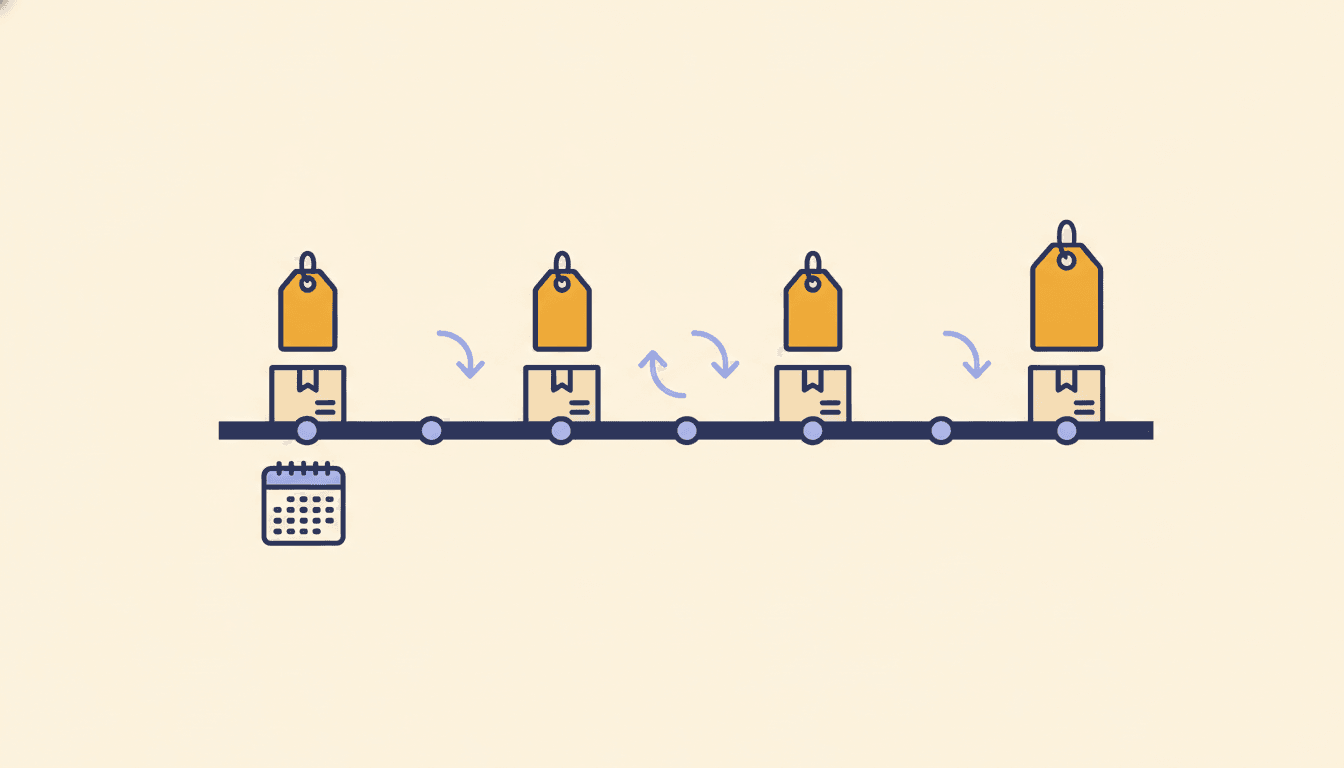
A surprising share of Amazon spending is the same handful of things, bought over and over. Laundry pods. Dog treats. Paper towels. Razor refills. Individually they are small. Together they are often the biggest line in the budget, and the one most likely to quietly get more expensive.
Here is how to see exactly what you re-buy, how often, and what it is really costing you.
Why this is hard to see on Amazon
Amazon's Subscribe & Save page shows your active subscriptions, but nothing about the things you reorder by hand. Your Orders page shows every purchase as a separate event, so a product you have bought 30 times looks like 30 unrelated orders. And neither page tells you whether the price today is the price you paid last year.
Step 1: Get your order history into one place
You need every order, not just the last three months. The quickest route is Amazon's data export:
- Your Account → Manage your data → Request your data → Your orders
- Confirm the request from the email Amazon sends
- Download the Your Orders ZIP from the second email
Drop that ZIP into AmazaSpend as is. It reads your full history and groups the same product across every order. If you would rather skip exports entirely, the AmazaSpend browser extension captures orders as you browse Amazon. It works in Chrome, Edge, and Firefox.
Step 2: Open Recurring Purchases
In AmazaSpend, go to Analytics → Recurring Purchases. Every item you have bought two or more times is listed, with:
- Times: how many separate orders included it
- Avg interval: the typical number of days between purchases
- Price change: how much the price has moved between your first and most recent purchase
- Total spent: what that one product has cost you altogether
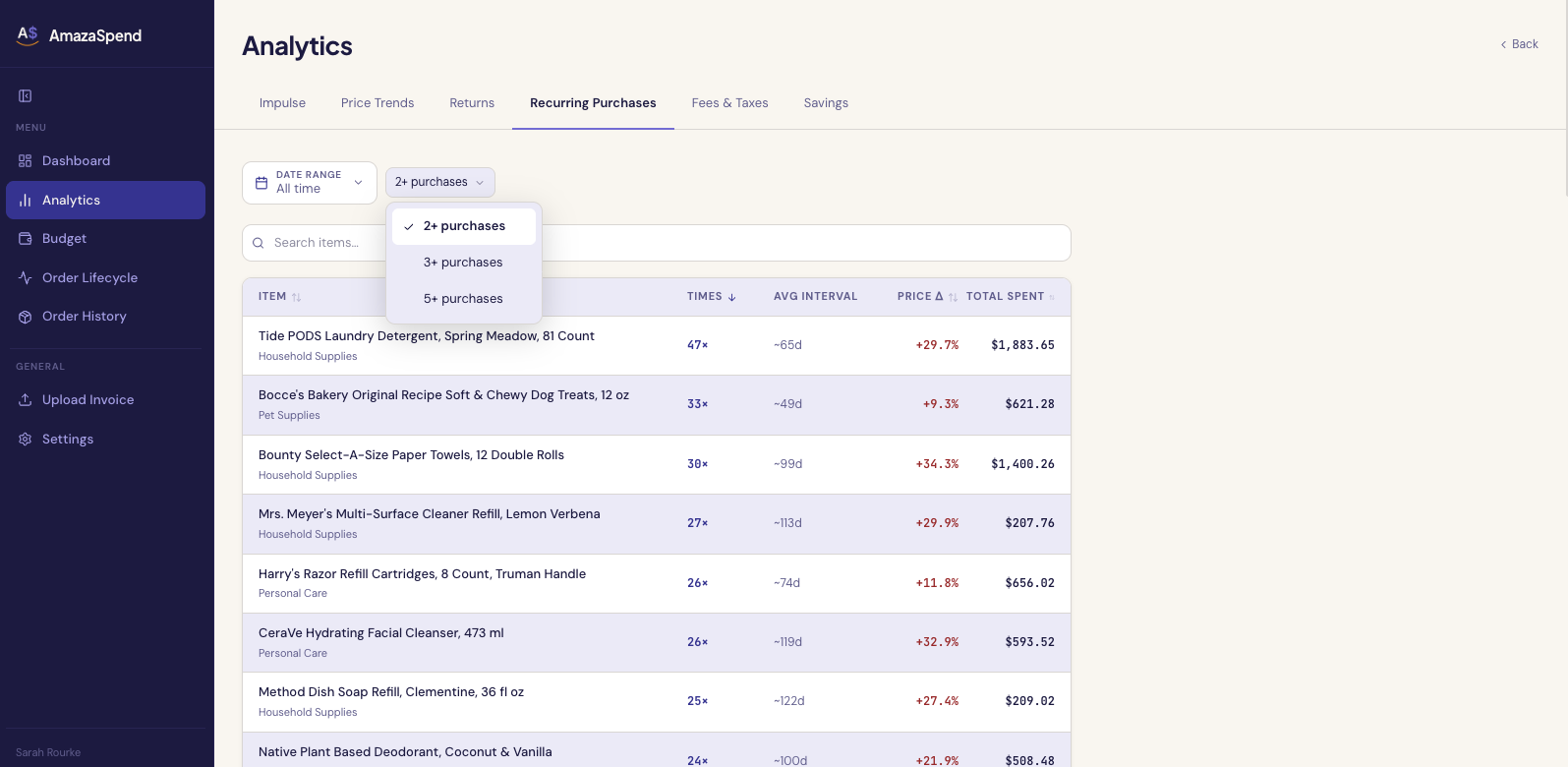
Use the filter to narrow it to items bought 3 or 5 or more times, and the search box to find a specific product.
Step 3: Find your real staples
Sort by Times and the top of the list is your household's true shopping list, the things you would buy no matter what. In the example above, laundry pods top the list at 47 orders and nearly $1,900 total.
This list is worth a careful look for two reasons. First, anything you reorder every month or two is a candidate for Subscribe & Save, which usually takes 5 to 15 percent off. Second, anything on the list you did not expect to see is worth a second thought. "How did I buy that 11 times?" is a common reaction.
Step 4: Check the price creep
Sort by Price change instead. This is the column Amazon would rather you did not have. Prices on everyday products move constantly, and a 30 percent increase spread over two years is easy to miss when you are paying $22 here and $28 there.
For any item, open its price history to see every price you paid, plotted over time. If a staple has climbed steadily, that is the moment to compare brands, switch to a larger size, or check whether the store down the street is now cheaper.
Step 5: Audit your Subscribe & Save
Subscribe & Save is convenient, and convenience is exactly how spending drifts. Cross-check your active subscriptions against the recurring list:
- Interval mismatch. If a subscription ships every month but your history shows you only used to buy it every 10 weeks, you are stockpiling. Stretch the delivery schedule.
- Price drift. The subscription discount applies to whatever the current price is. If the base price has risen, so has your subscription, quietly.
- Zombie subscriptions. Items you no longer really use but never cancelled. The recurring list makes them obvious because the purchases keep coming while everything around them changes.
What people usually find
- Three to five products account for most of the recurring total
- At least one staple has gone up by 20 percent or more since the first purchase
- A couple of items are being reordered more often than they are being used
None of this requires a spreadsheet. It just requires seeing the same product grouped across all the orders it was hiding in.
Find what you keep re-buying with AmazaSpend →