

Amazon is brilliant at one thing: making it easy to buy. It's less brilliant, on purpose, at helping you understand what you've bought.
Think about the last time you checked your credit card statement. There it was: "Amazon.ca, $612.47." One line. No breakdown. No categories. No way to know if that was dog food and paper towels, or a 2am impulse buy you've already forgotten about.
That's not an accident.
Amazon's business model depends on invisible spending
The less clearly you can see your spending patterns, the more freely you spend. Amazon's design team is exceptional, and they have chosen not to build you a spending dashboard. Their revenue grows when your friction goes down. A detailed monthly spending breakdown would create friction.
Compare this to your grocery store, your coffee shop, your streaming subscriptions, all of them tell you exactly what you bought and when. Amazon, the single largest e-commerce platform in the world, with 310 million active customers, does not.
What Amazon gives you:
- A list of orders (no totals by month or category)
- Individual order confirmation emails (no aggregate view)
- A returns history (no financial summary)
- A wishlist (that doubles as a purchase funnel)
What Amazon does not give you:
- Monthly spend totals
- Category breakdowns
- Impulse vs. intentional purchase tracking
- Price history per product
- Budget pacing
- Any kind of insight into your own behavior as a consumer
The "Amazon line" problem
There's a name for this in personal finance communities, the Amazon line problem. It's when your budgeting app (YNAB, Monarch Money, Copilot) shows Amazon as a single monthly total, and you have no idea what's inside it.
Apps like YNAB are excellent for tracking your rent, subscriptions, and restaurant spending. But Amazon is a category unto itself. One transaction can include groceries, pet supplies, birthday gifts, and a gadget you didn't need. Apps that connect to your bank see the total. None of them see the items.
"I knew I spent too much on Amazon. I just didn't know how much, or on what.", this is the thing we hear most.
The data exists, Amazon just won't surface it for you
Here's what's interesting: Amazon does have your data. Every item, every price, every order date, every return, every price change, it's all there in your account. You can even request a full export of it from Amazon (Manage your data → Request your data → Your orders).
But exporting a CSV gives you a spreadsheet with hundreds of rows and no analysis. You can see what you bought. You can't see what it means.
This is the gap AmazaSpend fills.
What actually understanding your Amazon spending looks like
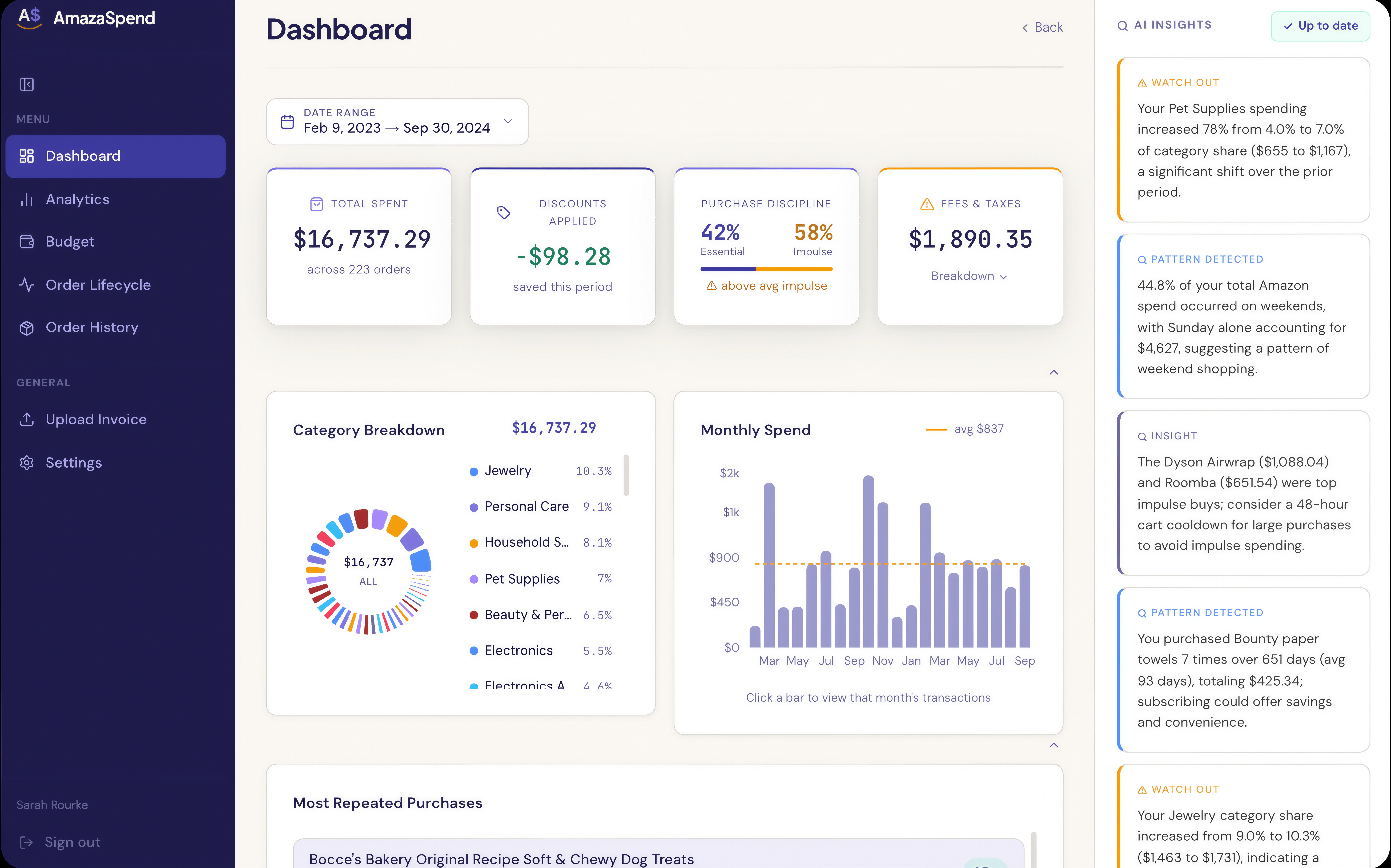
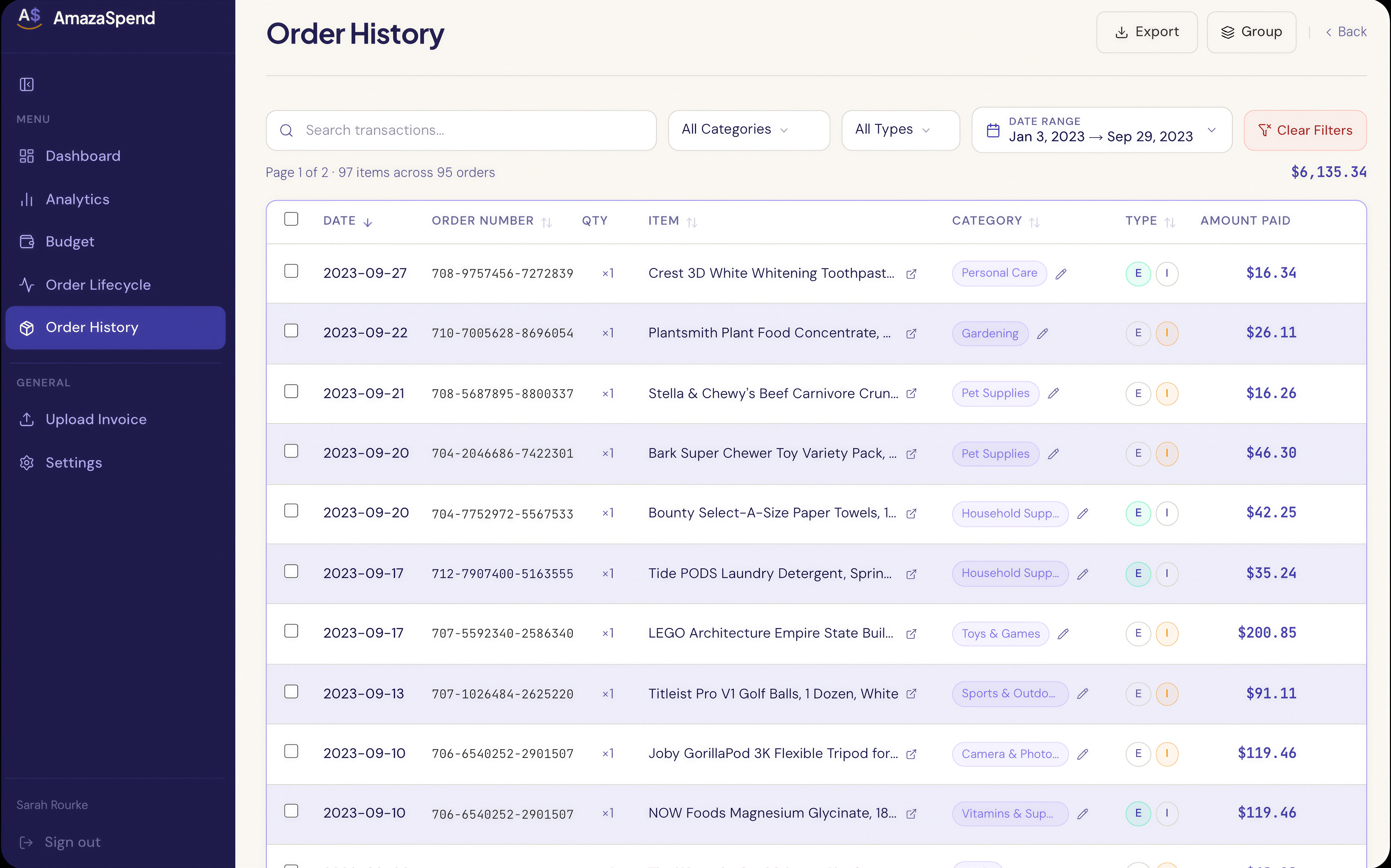
When you upload your Amazon order history to AmazaSpend, either as a CSV, a PDF invoice, or through the browser extension that captures orders automatically, you get:
- Total spend by month, so you can see your highest-spend periods and what drove them
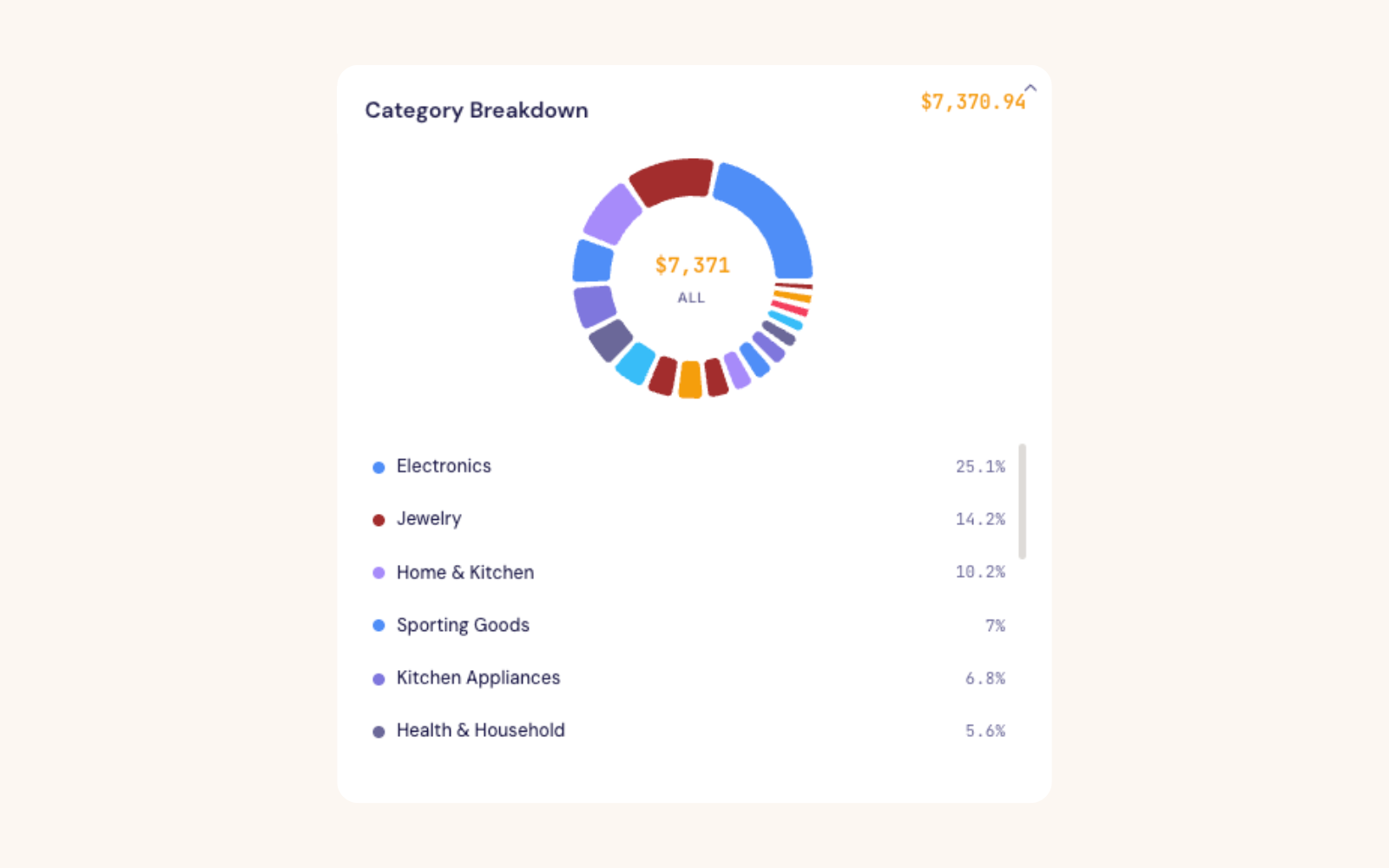
- Category breakdown, how much went to household essentials, electronics, clothing, pet supplies
- Impulse vs. essential classification, every item tagged automatically by AI, so you can see what percentage of your spending was planned vs. reactive
- Budget pacing, know on day 14 of the month whether you're on track for the full month
- Price trends, see how the unit price of your most-purchased items has changed over time
- Returns history, a clear view of what you bought and sent back, with refund amounts
The tools that exist today
If you want to see your Amazon spending clearly, you have a few options:
Option 1: Manual spreadsheet Download your Amazon order history CSV, open it in Excel or Google Sheets, and build your own pivot tables. This takes 30–60 minutes and has to be repeated monthly. Most people do this once and stop.
Option 2: General budgeting apps (Monarch, YNAB, Copilot) These connect to your bank and credit card and show Amazon as a line item. They don't see individual items. Best for overall budget tracking, not Amazon-specific insight.
Option 3: Free browser extensions Several Chrome extensions show you a running total of your Amazon spending. They're lightweight but offer no item-level analysis, no categories, no AI insight.
Option 4: AmazaSpend Amazon-only, item-level, with AI-powered behavioral analytics. Upload once (or install the browser extension), and you have a complete financial picture of your Amazon account, instantly.
Start with your last 12 months
If you've never looked closely at your Amazon spending before, start with a 12-month export. Most people are surprised, not always in a bad way. Sometimes you'll realize your Amazon spending is actually quite intentional. Sometimes you'll see one category that ran away from you.
Either way: knowing is better than not knowing.
Try AmazaSpend →