
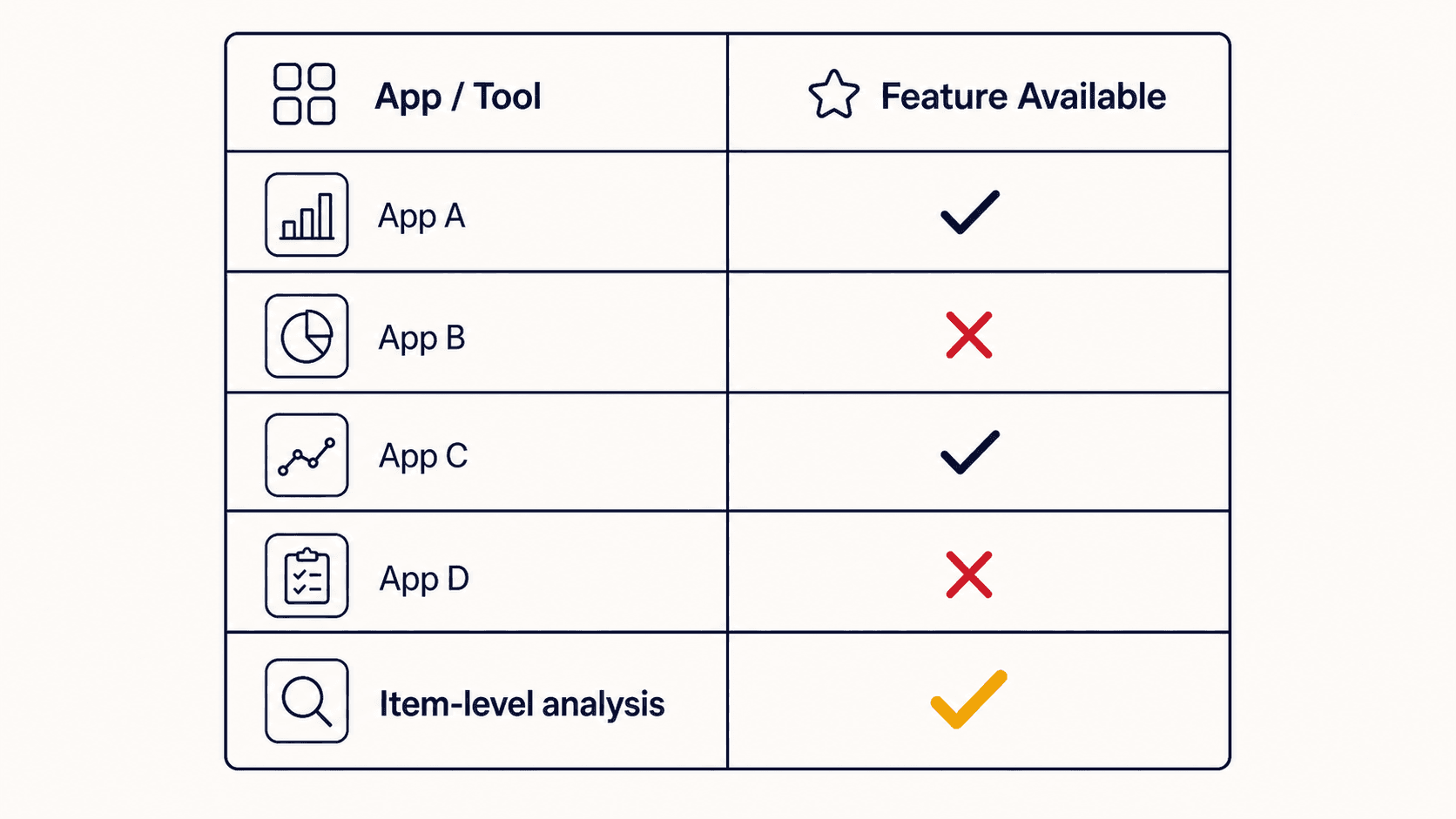
If you've searched for "how to track Amazon spending," you've probably already discovered that the options are more limited than you'd expect. Amazon has over 310 million active customers, but the tooling to understand your own spending there is surprisingly sparse.
This is an honest comparison of every meaningful option available today, including what they're good at, where they fall short, and what type of user each one is right for.
Option 1: Amazon's own order history export (DIY)
What it is: Amazon lets you request your full order history through Your Account → Manage your data → Request your data → Your orders. After you confirm by email, Amazon sends a download link for a ZIP that contains your order history, returns, and replacements: every order, every item, every price, and every date.
What's good: It's free. It's comprehensive. It's the raw data, nothing filtered out.
What's missing: The export has no categories, no analysis, no charts, no month totals. You get hundreds (or thousands) of rows and nothing to make sense of them. You need to do all the analysis yourself in a spreadsheet.
Best for: People who are comfortable with Excel or Google Sheets and willing to build their own pivot tables. Expect to spend 1–2 hours setting it up, and repeat that work whenever you want fresh data.
Cost: Free
Option 2: General budgeting apps (YNAB, Monarch Money, Copilot)
What they are: Full personal finance apps that connect to your bank accounts and credit cards and categorize all your spending across every merchant.
What's good: Excellent for overall financial picture. They handle Amazon as one spending source among many. If you want to see your Amazon spending in the context of your total budget, these are the best tools for that.
What's missing: They see Amazon as a single line item from your bank feed. They cannot see individual items, only the order total. So your $312 Amazon charge might include household essentials and an impulse gadget and a birthday gift, but the app just sees $312 labeled "Shopping."
Several of these apps (Monarch, Copilot) are working on Amazon item-level integration, but as of 2025 it's limited.
Best for: People who want a complete personal finance picture across all their accounts and are okay with Amazon being a rough total rather than an item-level breakdown.
Cost: $13–$17/month depending on the app
Option 3: Free Chrome extensions (Spending Tracker, similar tools)
What they are: Lightweight browser extensions that run on Amazon.ca/com/.co.uk and track your running total.
What's good: Easy to install, no account required, shows you a running total of your Amazon spending for the month or year.
What's missing: Total spend only, no categories, no item-level data, no impulse tracking, no budget pacing, no price trends, no returns analysis. These are essentially a counter, not a dashboard.
Best for: People who just want a rough monthly total with minimal setup. If you just need a "how much did I spend on Amazon this month" number, these work fine.
Cost: Free
Option 4: CamelCamelCamel (price tracking only)
What it is: A dedicated Amazon price history tracker. You search for an ASIN or product URL and see the historical price chart for that listing.
What's good: The best tool available specifically for Amazon price tracking. Very accurate historical data. You can set price drop alerts.
What's missing: It tracks listing prices, not your purchase prices. And it's proactive, you have to search for products you're planning to buy, rather than seeing price trends on products you've already bought. No spending dashboard, no categories, no purchase history analysis.
Best for: Pre-purchase research. Before buying a big-ticket item, check CamelCamelCamel to see if the price is actually a deal.
Cost: Free
Option 5: AmazaSpend
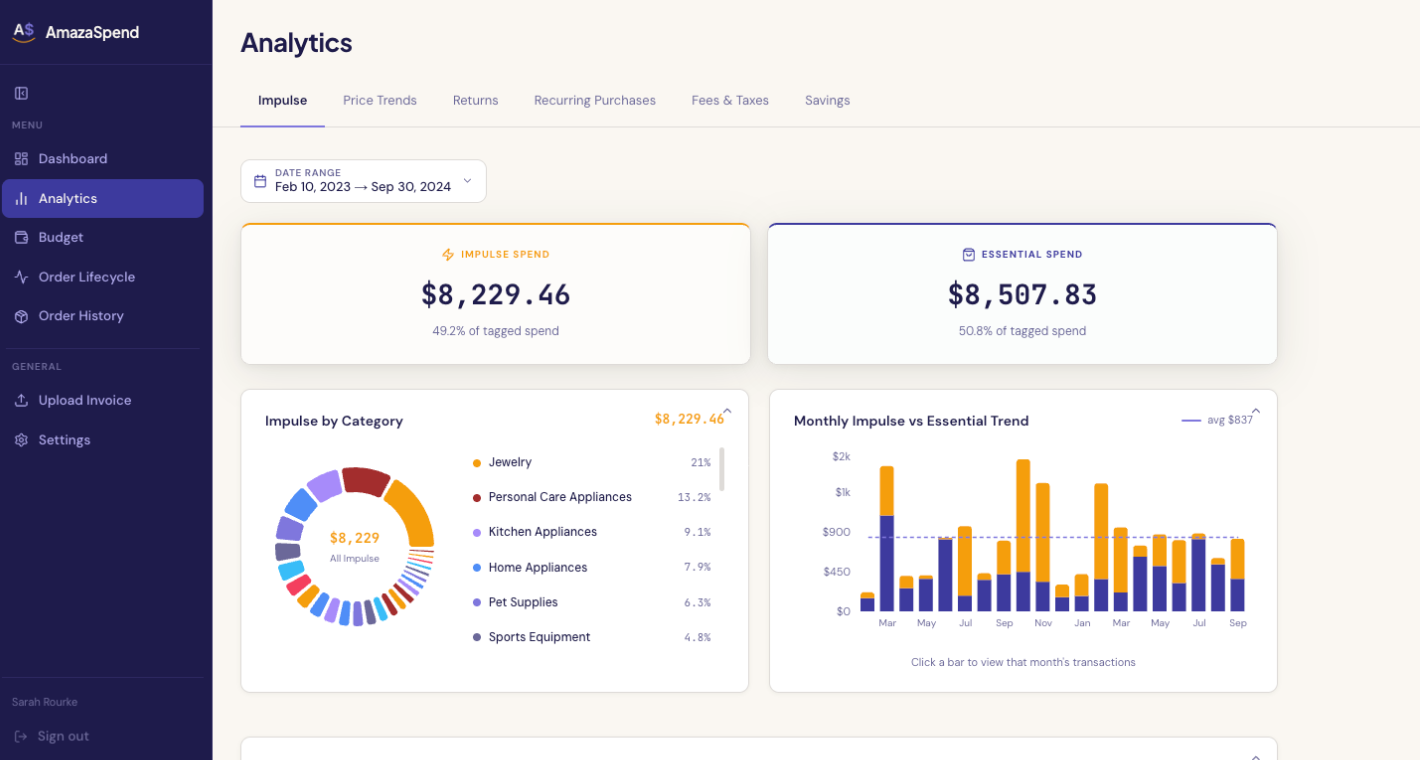
What it is: An Amazon-only spending intelligence platform that turns your order history into a full financial dashboard, with AI-powered categorization, impulse vs. essential tracking, budget pacing, price trends, and returns analysis.
What's good: The most comprehensive Amazon-specific spending analysis available today. Item-level data. AI categorization (every item tagged, overridable). Impulse vs. essential split. Month-by-month trends. Price history per product across your own purchases. Browser extension that auto-captures orders silently as you browse.
What's missing: It doesn't connect to your bank or cover other merchants. If you want a full personal finance picture across all your accounts, pair it with a general budgeting app.
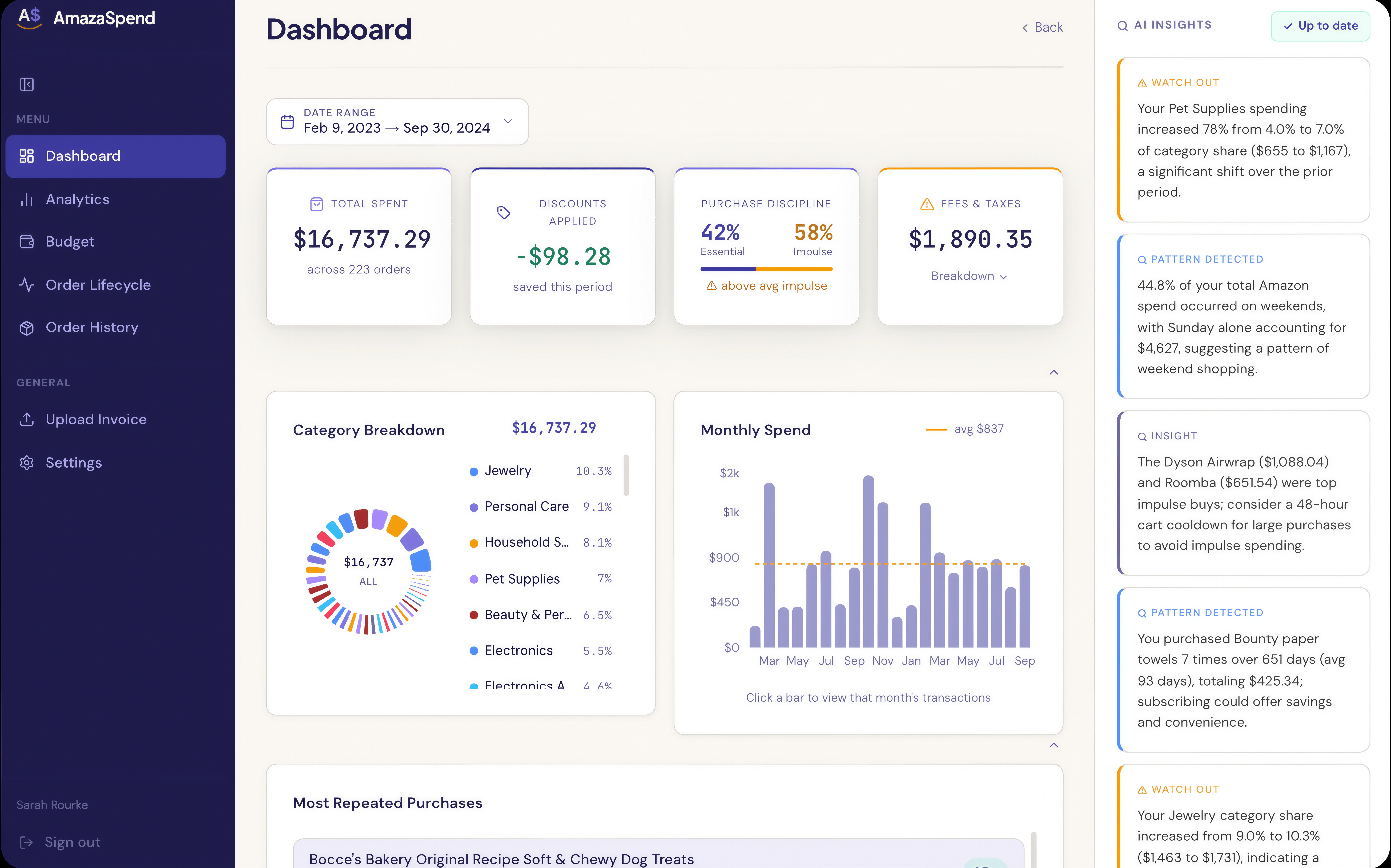
Supported data inputs:
- Amazon order history CSV or ZIP export
- PDF invoices
- Browser extension auto-capture
Supported marketplaces: Amazon.ca, Amazon.com, Amazon.co.uk
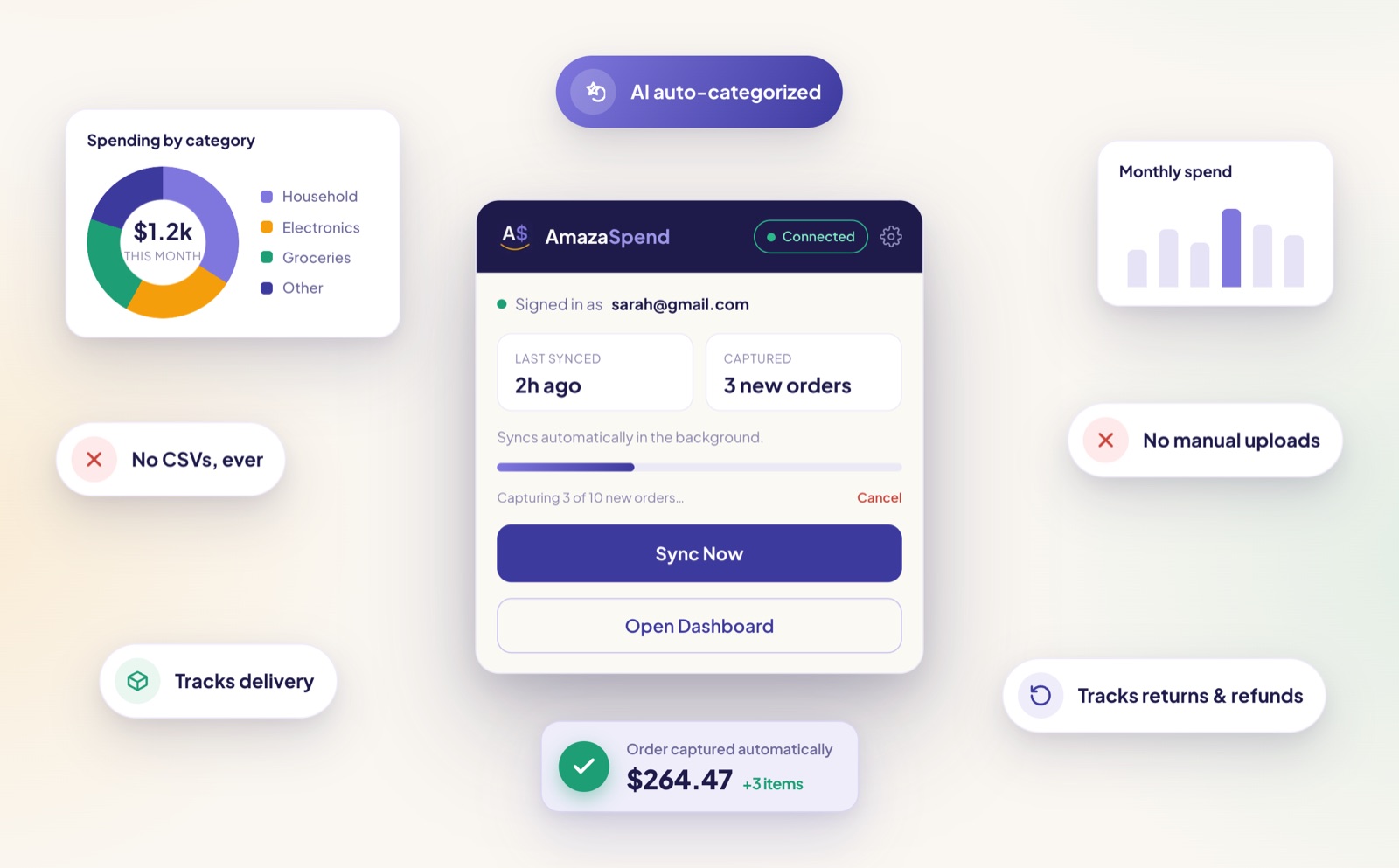
Best for: Regular Amazon shoppers (weekly or more) who want item-level visibility into their spending, want to track impulse buying, want to set category budgets, or want to see price trends on recurring purchases.
Cost: 7-day free trial, then Pro at $7.50 USD/month or $72 USD/year
How to choose
| If you want... | Use... |
|---|---|
| Just a monthly total, no setup | Free Chrome extension |
| Full financial picture across all accounts | YNAB, Monarch, or Copilot |
| Price alerts before buying something new | CamelCamelCamel |
| Item-level analysis of your own Amazon history | AmazaSpend |
| Pre-purchase price research + purchase history trends | CamelCamelCamel + AmazaSpend |
The honest recommendation: if you're a regular Amazon shopper and you've never really looked at your spending at the item level, start with AmazaSpend's 7-day free trial. Upload your last 12 months of order history and see what comes back. The first session usually tells you something you didn't know.
What's coming
AI-powered spending tools for Amazon specifically are a young space. A few things to watch:
- Email forwarding capture, being able to forward Amazon confirmation emails to a dedicated address for automatic parsing (AmazaSpend has this on the roadmap)
- Multi-account support, for households or small businesses with multiple Amazon accounts
- YNAB/Monarch export formats, so item-level Amazon data can flow into general budgeting apps
The underlying premise is that Amazon spending is a category large enough to deserve its own tooling, separate from general personal finance. Most people we've talked to agree.
Try AmazaSpend free for 7 days, see your Amazon spending the way you never could before →